Turn a picture into a coloring page you can print
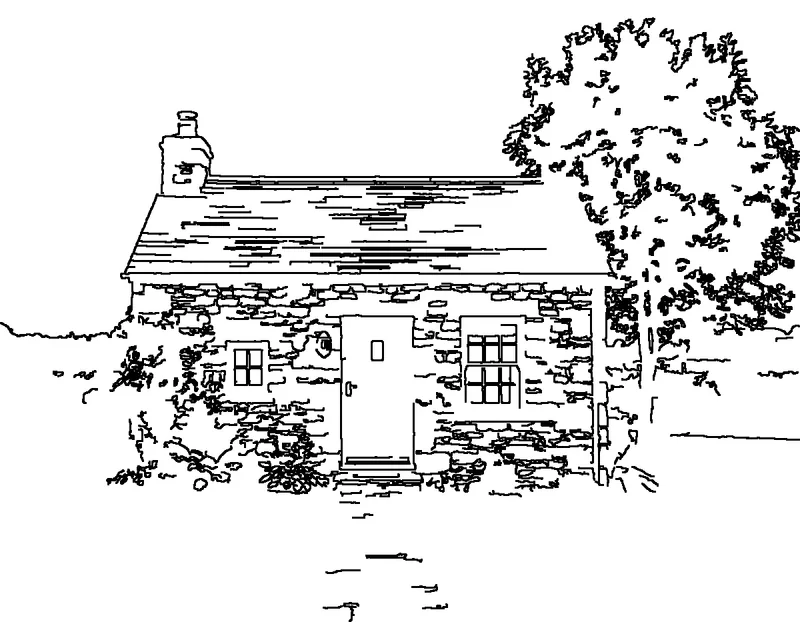
Choose a photo, a drawing, or any image on your computer. Coloring Page Maker traces its edges into clean black outlines on white paper, ready to print on A4 or US Letter.
There is no upload endpoint. Your picture is converted in this tab, because there is no server here that could receive it.

Why this one is different
Most online image converters work the same way: you hand over your picture, a server somewhere processes it, and you hope the copy is deleted afterwards. That is a lot of trust to extend for a children's activity, especially when the picture is of your own family.
This tool does the arithmetic locally instead. When you pick an image, your browser decodes it, hands the pixels to a background worker, and runs edge detection there. Nothing is transmitted, because there is no server to transmit it to — the site is a set of static files, with no upload endpoint, no database, and no image storage of any kind.
-
Private by construction
There is no upload API to send your image to. Privacy here is a property of the architecture, not a promise in a policy document.
-
Print-ready output
A4 and US Letter, portrait or landscape, centred with a safe margin and lines thick enough to survive a home printer.
-
Adjustable, not automatic
Detail, line thickness, and style are yours to set. The preview updates as you change them, so you can see the trade-off.
-
Nothing to install
It runs in any modern browser. An optional Chrome extension adds a right-click shortcut, but the site works fine on its own.
Three steps, about a minute
- Pick an image Drag a file onto the page, choose one from your device, or paste the address of an image you have permission to use.
- Adjust the outline Set how much detail becomes line work, how thick those lines are, and whether you want clean outlines or a sketchier look. The preview redraws each time.
- Print or save Download a PDF sized for A4 or US Letter, or a PNG if you would rather drop the artwork into a worksheet of your own.
What people make with it
The tool is deliberately general, but a few uses come up again and again:
- Parents turn holiday photos, pets, and birthday pictures into activity sheets that a child recognises — which holds attention far longer than a generic printable.
- Teachers convert diagrams, specimens, and field-trip photos into worksheets, without sending pictures of students to a third-party service.
- Anyone making party favours, place mats, quiet-time activities, or scrapbook pages from images they already own.
Frequently asked questions
Are my photos uploaded anywhere?
No. The conversion runs in your own browser using your device's processor. Your picture is never sent to a server, and there is no database, gallery, or account where it could be stored.
Does it cost anything?
No. The tool is free to use, with no sign-up, no trial, and no watermark on what you download.
What size paper does it print on?
You can choose A4 or US Letter, in portrait or landscape. The artwork is centred with a 12 mm margin so nothing is clipped by your printer's unprintable edge.
Which images work best?
Pictures with a clear subject, good lighting, and an uncluttered background give the cleanest outlines. Busy backgrounds and very dark photos tend to produce noisy lines, though lowering the Detail setting usually helps.
Can I use pictures I found online?
Only if you own them or have permission. Turning someone else's photograph or illustration into a coloring page can create a derivative work, and the rights stay with the original creator.
Browse coloring pages
- All free printable coloring pages
- Dinosaur Coloring Pages
- Animal Coloring Pages
- Christmas Coloring Pages
- Mandala Coloring Pages
- Butterfly Coloring Pages
- Flower Coloring Pages
- Cat Coloring Pages
- Dog Coloring Pages
- Princess Coloring Pages
- Mermaid Coloring Pages
- Unicorn Coloring Pages
- Car & Vehicle Coloring Pages
- Space & Astronaut Coloring Pages
- Easter Coloring Pages
- Halloween Coloring Pages
- Cute & Kawaii Coloring Pages
Newest coloring pages
Keep reading
-
Turn a photo into a coloring page
Which photos convert well, and the settings that flatter faces, pets, and landscapes.
-
Printing coloring pages at home
Paper choices, printer settings, and margins that keep lines crisp on a home printer.
-
How the conversion works
What edge detection actually does, and why running it locally is possible at all.